 Canvas
 Doctrine ORM
Last updated: 2026-11-01
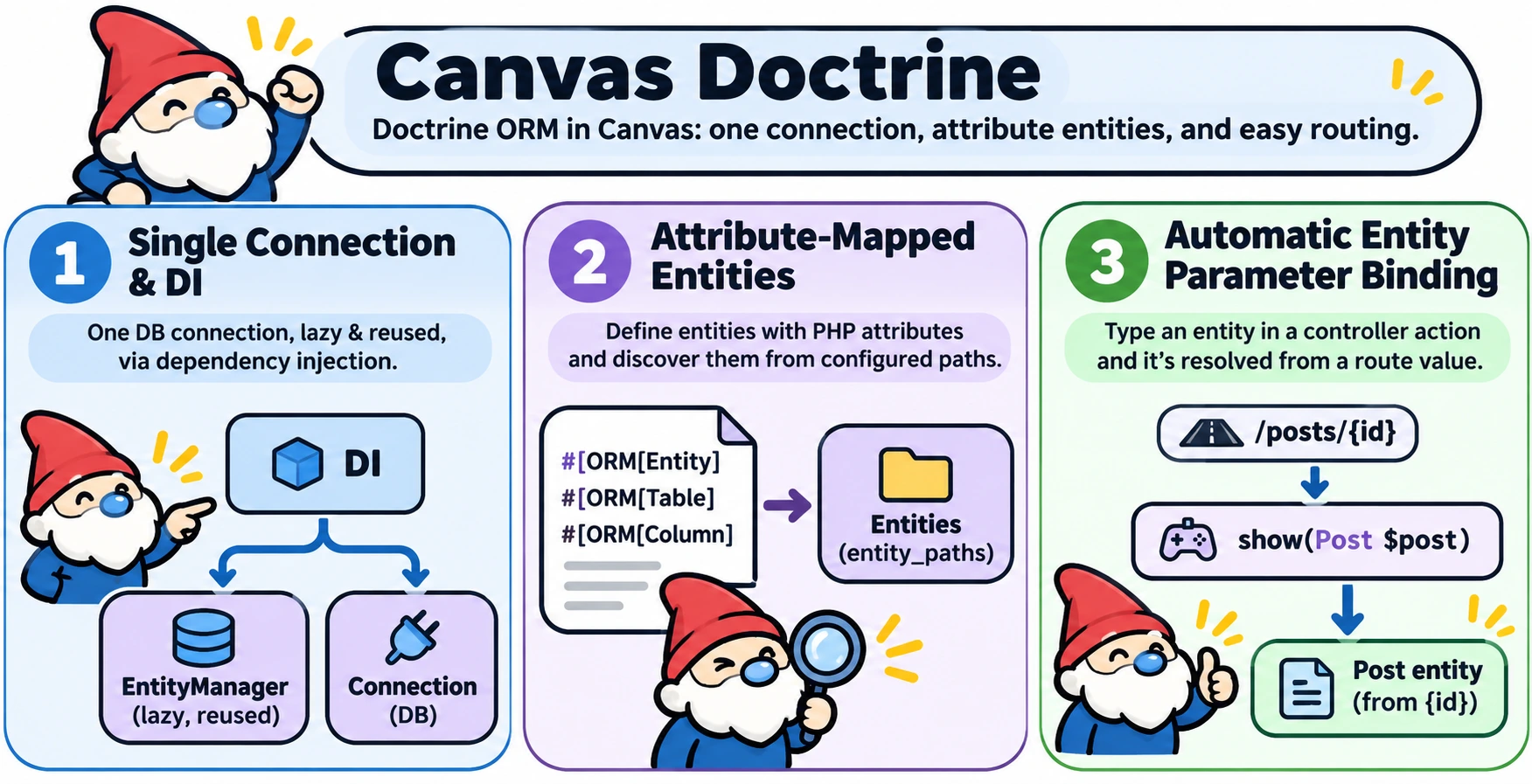
Canvas Doctrine brings Doctrine ORM into Canvas. It wires a single Doctrine DBAL connection and attribute-mapped entities into Canvas's dependency injection container, so EntityManagerInterface and Connection are available anywhere Canvas resolves a constructor or controller action.
Core Concepts
- Single connection — this package manages exactly one DBAL connection, read from
config/doctrine.php. Multiple named connections are not supported. - Lazy, memoized EntityManager — the
EntityManageris built on first resolution, not eagerly at boot, and reused for every subsequent injection ofEntityManagerInterface,EntityManager, orConnectionwithin the same provider instance. - Attribute-mapped entities — entities are mapped with Doctrine's native PHP attributes (
#[ORM\Entity],#[ORM\Table],#[ORM\Column], etc.), scanned from the directories listed inentity_paths. - Entity parameter binding — a controller action parameter typed as a mapped entity class under
entity_namespaceis resolved automatically from a route value. See Entity Parameter Binding below.
entity_namespace (or the entity path) overlap between canvas-doctrine and canvas-objectquel. Both packages' route-entity binders match a controller parameter by namespace alone, so a class belonging to the other ORM can end up bound through the wrong EntityManager. Installation
Install via Composer:
composer require quellabs/canvas-doctrineThen publish the configuration file:
sculpt doctrine:initEdit config/doctrine.php with your database credentials and entity locations.
Configuration
All options with their defaults:
// config/doctrine.php
return [
    'entity_paths'     => [__DIR__ . '/../src/Entities'],
    'entity_namespace' => 'App\\Entities',
    'development_mode' => false,
    'connection'        => [
        'driver'   => 'pdo_mysql',
        'host'     => 'localhost',
        'port'     => 3306,
        'dbname'   => '',
        'user'     => '',
        'password' => '',
        'charset'  => 'utf8mb4',
    ],
];entity_paths— directories scanned for attribute-mapped entity classes. Must be a non-empty list of strings.entity_namespace— the namespace prefix used for controller route binding (see below). Unrelated toentity_paths; keep the two consistent with where your entity classes actually live.development_mode— whentrue, metadata/query/result caching uses an in-memory array that doesn't persist across requests, so entity changes are picked up immediately. Keep itfalsein production, where Doctrine uses a persisted cache instead.connection— a single DBAL connection array. Any key you omit falls back to the default shown above. A list of connection arrays, or aconnectionskey, is rejected — only one connection is supported.
Quick Start
Two ways to work with your database, depending on how much of Doctrine you want: entities through the EntityManager, or DBAL's query builder directly.
Doctrine Entities
Type-hint EntityManagerInterface in any constructor or controller action, and Canvas resolves it to the single, lazily-built EntityManager — built from config/doctrine.php on first use, no manual wiring:
use Doctrine\ORM\EntityManagerInterface;

class BlogController {
    public function __construct(
        private EntityManagerInterface $em
    ) {}

    public function show(int $id): Response {
        $post = $this->em->find(Post::class, $id);

        return $this->render('blog/show.tpl', compact('post'));
    }
}Post here is a plain Doctrine attribute-mapped entity, loaded from a directory listed in entity_paths. Mapping entities, querying through repositories, and managing the unit of work with persist()/flush() is Doctrine's own API, unchanged by Canvas. DBAL Connection via DI
For code that prefers DBAL's query builder without entity classes, type-hint Connection instead — it resolves to the same underlying connection the EntityManager uses:
use Doctrine\DBAL\Connection;

class ReportController {
    public function __construct(
        private Connection $db
    ) {}

    public function index(): Response {
        $rows = $this->db->createQueryBuilder()
            ->select('id', 'title')
            ->from('posts')
            ->fetchAllAssociative();

        return $this->json(['posts' => $rows]);
    }
}
Entity Parameter Binding
A controller action parameter typed as a mapped entity class under entity_namespace is resolved automatically from a route value, without calling EntityManager::find() yourself.
Implicit binding by parameter name
By default, the route value with the same name as the controller parameter is used as the primary key:
// Route: /posts/{post}
public function show(Post $post) {
    // $post is the Post whose primary key matches the route's {post} value
}
@ResolveEntity for a differently-named route value
When the route value's name differs from the controller parameter's name, add @ResolveEntity to map them:
/**
 * @Route('/posts/{postId}')
 * @ResolveEntity(parameter="post", routeParam="postId")
 */
public function show(Post $post) {
    // $post is resolved from the route's {postId} value
}
Not-found behavior
- Required parameter (
Post $post): if the lookup finds no row, aRequiredParameterNotFoundExceptionis thrown, which produces an HTTP 404 response. - Nullable parameter (
?Post $post): if the lookup finds no row, the controller receivesnulland must handle it.
Binding errors vs. a missing row
A missing row is not the only possible outcome. If the route has no value at all for the key the parameter is bound to, or the value's shape is not supported (this provider only binds scalar primary keys — composite/array keys are not supported), that is a binding or configuration mistake, not "no row found", and raises InvalidArgumentException rather than silently injecting null or a default.
Sculpt CLI Commands
| Command | Description |
|---|---|
sculpt doctrine:init | Publish config/doctrine.php to the project root (skips if it already exists) |